

Open TDMS, DIAdem, MATLAB and CSV Test Data in One Tool
Test benches, data loggers and simulation tools all write their own file formats. UniPlot reads them directly or through an add-in and converts every file into one data format, so channels from any source are plotted, filtered and reported the same way.
- CSV and Excel
- MATLAB .mat
- TDM and TDMS
- DIAdem DAT
- ASAM ODS
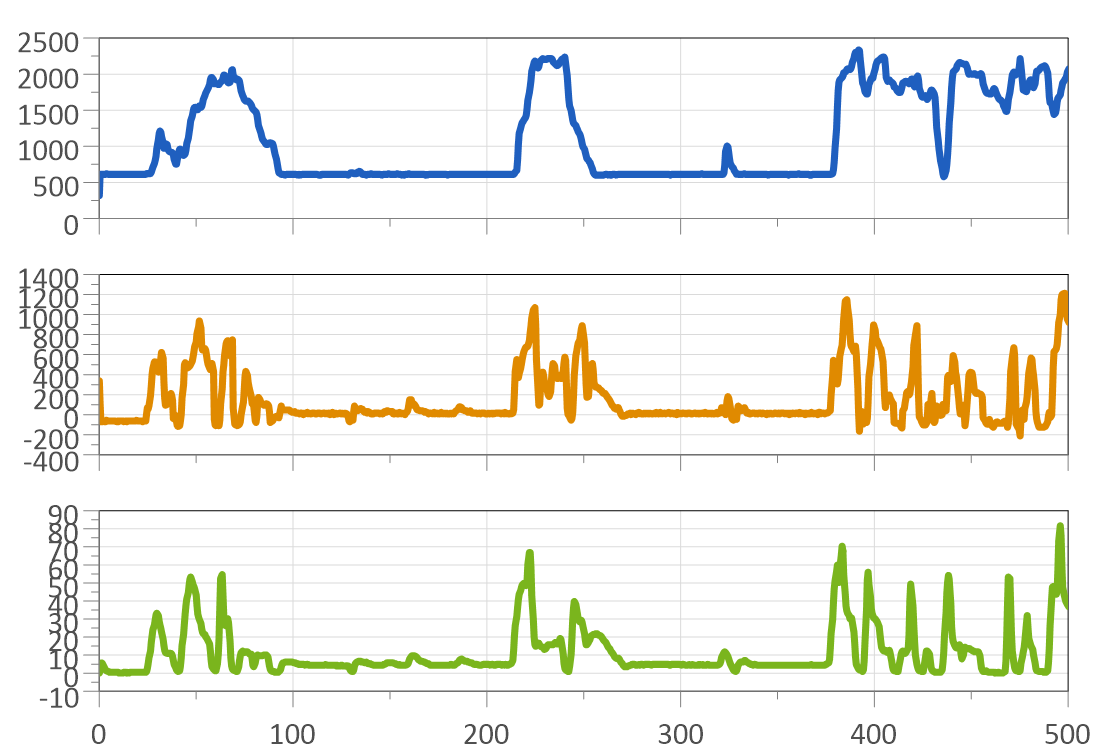
Working with DIAdem or LabVIEW data? UniPlot reads DIAdem DAT files and TDM/TDMS files from DIAdem or LabVIEW. The TDM add-in is based on the DIAdem Connectivity Library of National Instruments and can also export UniPlot data to TDM. See How do I import TDM and TDMS files from DIAdem or LabVIEW? and How do I import DIAdem DAT files?.
Your formats, one workflow
Column separator, decimal sign, channel names, units, date columns and missing values are recognized automatically. No import template is needed. Files with up to 8000 columns are supported.
Versions 4 and 5 and the HDF5-based version 7.3, including files in the ControlDesk format. MATLAB does not need to be installed. UniPlot data can be written back to .mat.
The TDM add-in converts TDM and TDMS files from DIAdem or LabVIEW and can also export UniPlot data to TDM. It is based on the DIAdem Connectivity Library of National Instruments.
Add-ins read DIAdem DAT files, FAMOS files, Dewesoft D7D and DXD files and Elsys TPC5 and TPS5 files.
The ASAM ODS browser connects to ODS servers, so you search the measurements and load the channels into UniPlot. ATFX transfer files are imported too.
Write your own import filter for binary or text files in UniScript. It then appears in File=>Import Data like the built-in filters.
Full list, among others: text, CSV and Excel files, MATLAB, netCDF, MDF and MDF4, CAN log files (BLF, ASC), DIAdem DAT, TDM and TDMS, FAMOS, ASAM ODS and ATFX, Dewesoft D7D and DXD, Elsys TPC5, AVL IFILE and Puma, FEV/MTS CAS, SMETec COMBI, KiBox, Siemens CATS ERG, Sefram REC, Tektronix ISF, MORPHEE, CONVERGE, Virtual Dynamics and the calibration formats DCM and PACO. For MDF and CAN logs, see Analyze MDF4 Files and CAN Logs with UniPlot.
How it works
Choose File=>Import Data and select one or more files. Import filters that are add-ins are switched on once in Tools=>Add-In Manager.
UniPlot converts each file into its data format (NC2). This is only done the first time; afterwards the converted file opens immediately.
Drag channels from the Data Browser into the page. UniPlot creates the curve, the diagram and the axis titles in one step. Channels with the same unit share a diagram, others get their own.
Compare runs: the same channel from several files goes into one diagram, see How do I compare the same channel from several measurement files?.
From raw channels to engineering results
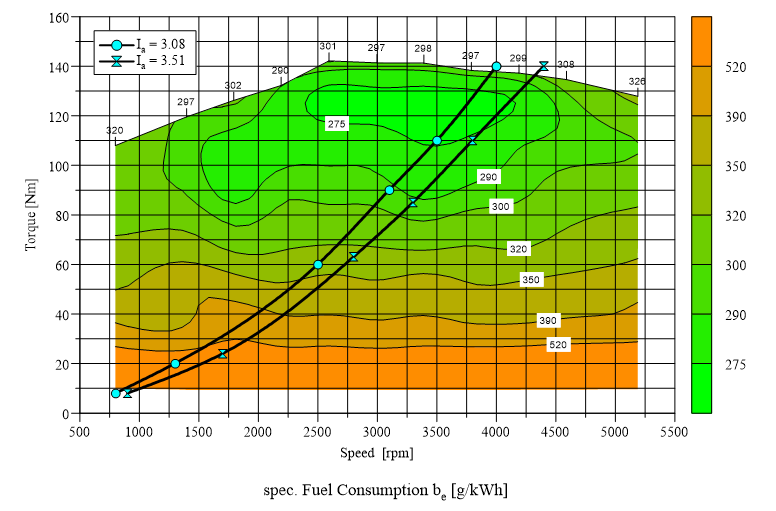
Isolines, color fill and curves on top, for example a full load line.
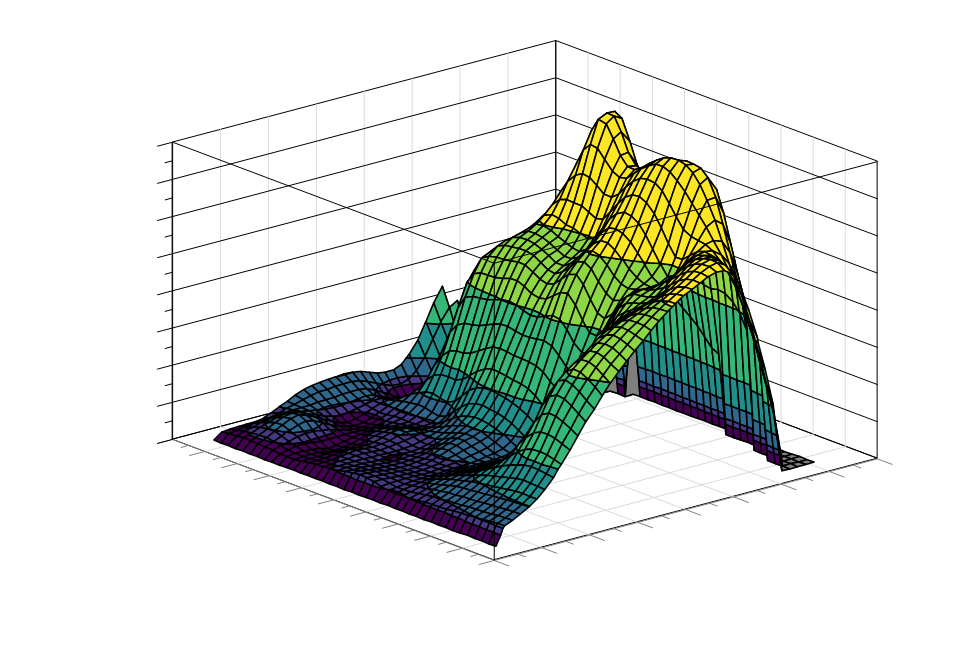
Show the same map as a 3D surface, or switch between contour and 3D.
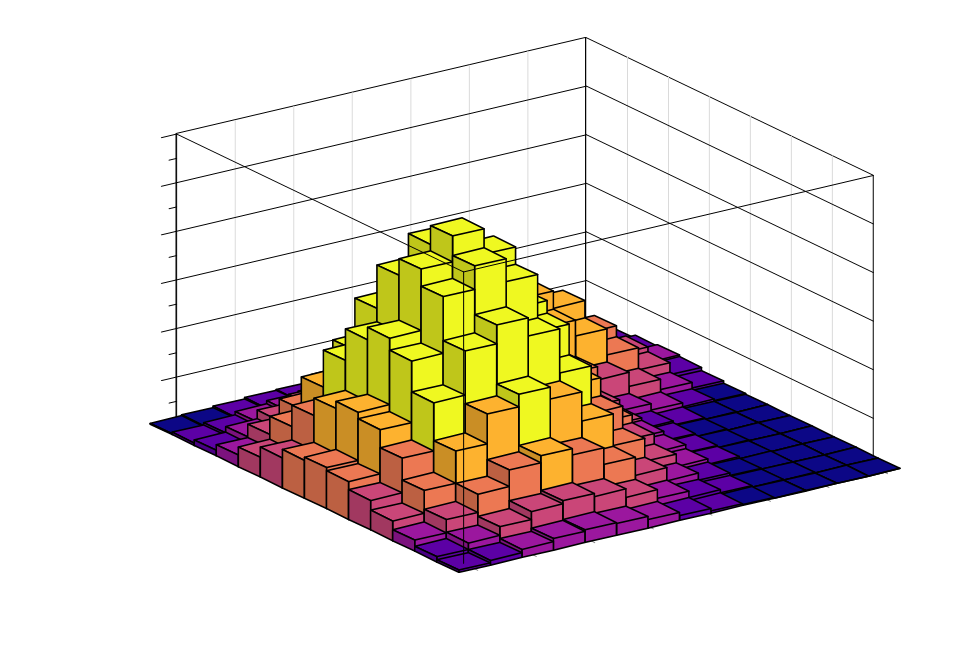
Count load cycles on a load signal and show the result as a matrix.
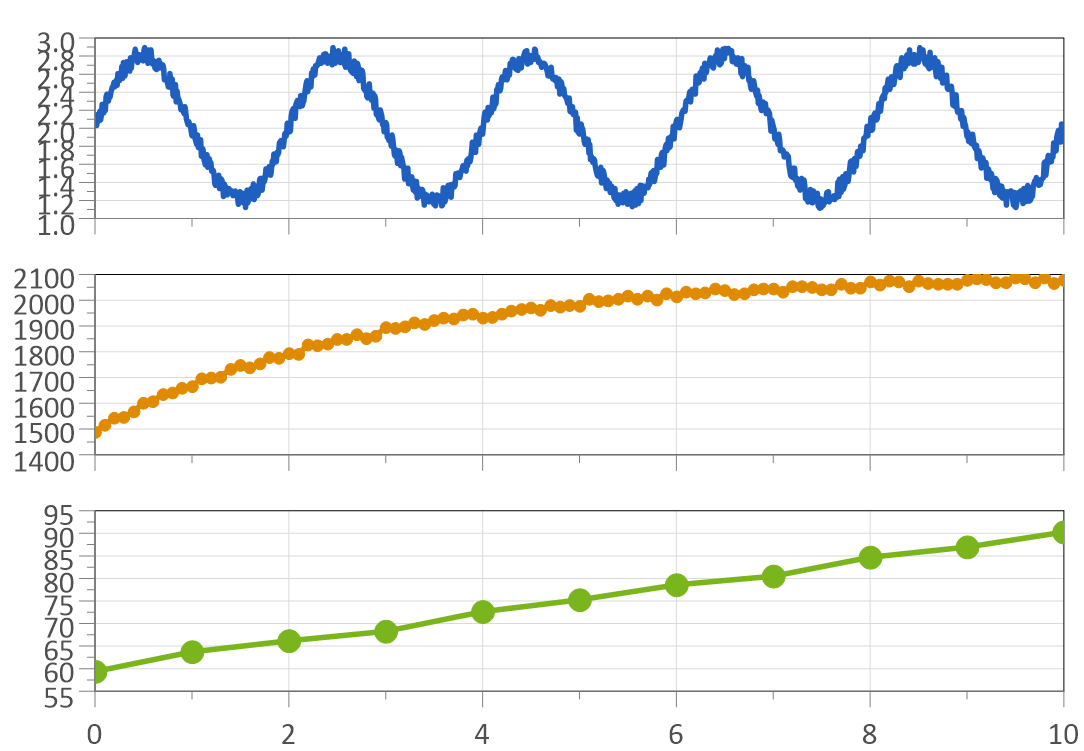
Smoothing, spike removal, low-pass filters, FFT spectra, envelopes, peaks and histograms.
More specialized analyses, such as compressor maps, waterfall diagrams and pV diagrams, are in Visualization and Specialized Analysis.
Good to know before you buy
Many import filters are add-ins. Not every filter is installed by the setup program; if you cannot find one, contact UniPlot support.
Classic netCDF files (.nc) are read. NetCDF-4 files, which are based on HDF5, cannot be imported.
UniPlot runs on Windows 8, 10 and 11.
Not sure it fits your files? Request a test version or write to info@uniplot.com.
Buy UniPlot
Buy online in US dollars by credit card. Choose your license to see the price and the option to select in our webshop.
Need a quote or a purchase order? info@uniplot.com · Want to evaluate first? Request a test version · Europe: price list in EUR