

How do I get an overview of a test campaign with many measurement files?
UniPlot has two tools for this. File=>Channel Quick View plots selected channels of many files on top of each other, page by page, from a template. The Data Editor command Add Data Records from File appends the records of many files to one data file, so the whole campaign can be plotted, filtered or turned into a map as a single data set.
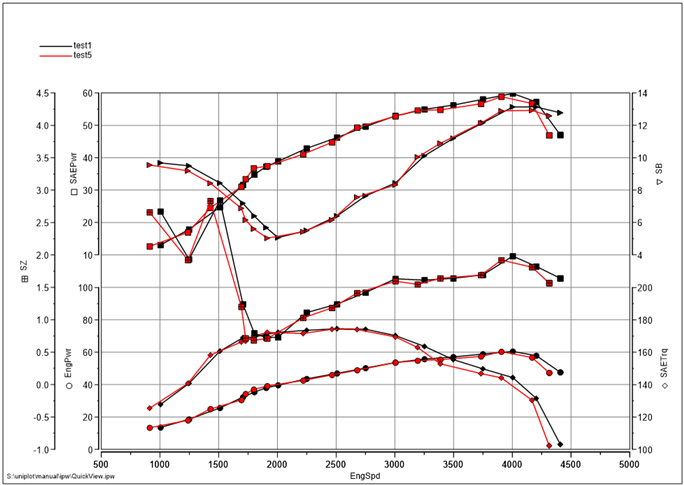
Channel Quick View: five channels of Test1.xls and Test5.xls over
engine speed, created in one step.
How it works
Overlay plots with Channel Quick View
Choose File=>Channel Quick View. Set a search filter if needed and select the data files.
Choose the x channel and the y channels.
UniPlot creates a document from a template: the template
default.ipwputs up to 8 diagrams on a page and adds more pages if you select more channels.To change the file or channel selection later, add the commands File=>QV Files and File=>QV Channels to the user toolbar.
One data set for the whole campaign with Add Data Records from File
Import the first file with File=>Import Data.
Click Edit in the Data Browser, right-click in the data grid and choose Add Data Records from File. Select the other files of the campaign.
UniPlot appends their records to the active data file. A file is only added if at least one channel name matches; channels missing in a file are set to
missing.Plot the merged data as usual, for example as a trend over all tests or as a map of all measured operating points.
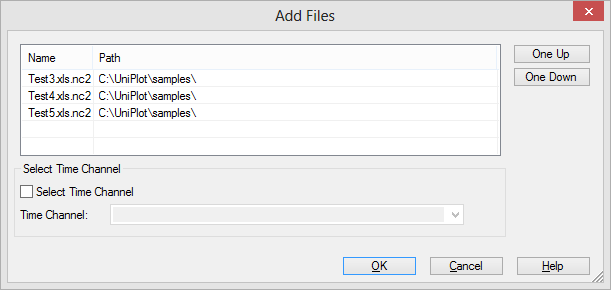
The Add Files dialog box lists the files whose records are appended to the active data file.
Why it helps
A first look at dozens of files without opening them one by one.
Merged data can use all UniPlot tools at once: filters, 3D maps, tables.
Quick View documents are ordinary UniPlot documents, so they can be edited, saved and printed.
Good to know
Add Data Records from File also works for MDF, BLF and Puma recorder files. If a file has no time channel, you can select one.
Quick View uses templates from the folder
Template\QV. Save your own templates there under a new name.To run the same report for every file of a campaign, prepare it once and replace the data with Data=>Data Exchange (Document), or automate it, see Automation, Scripting & Batch Processing.